
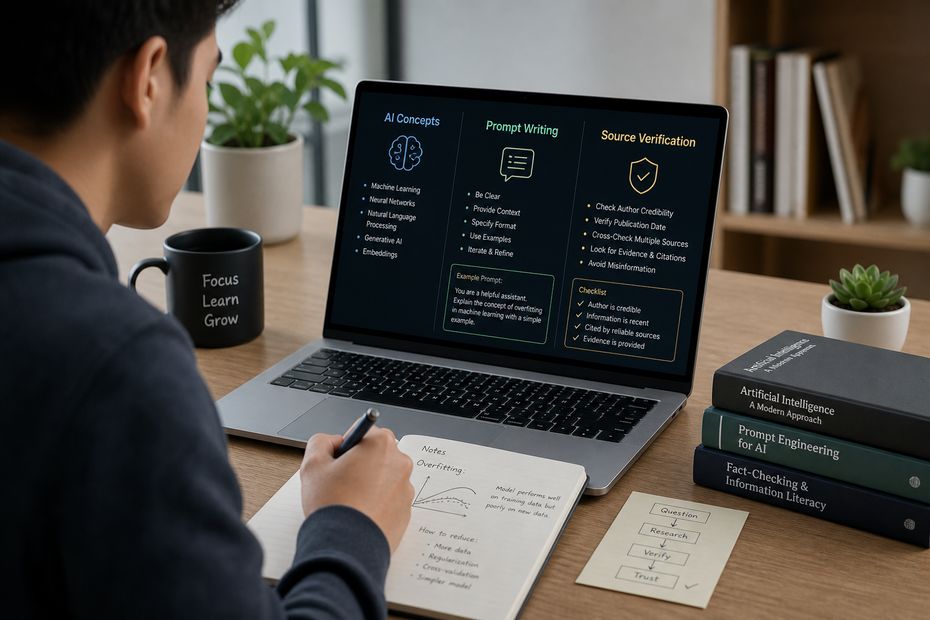
Student AI literacy starts with one idea: generative Artificial Intelligence (AI) produces likely outputs from learned patterns, so you must direct, test, and verify what it gives you. Using an AI tool quickly doesn’t prove that you understand its answer or can defend the reasoning behind it.
An AI-assisted essay can sound polished until you’re asked to explain its claims. AI-generated code can run correctly yet leave you unable to solve a similar problem during an exam. These gaps create brittle knowledge, where you recognize an answer but don’t understand the process that produced it.
This guide explains how AI models work, why they make mistakes, how to write better prompts, and where academic integrity fits. You’ll also learn how to build a human-first study process that develops your judgment instead of replacing it.
Why Does Student AI Literacy Go Beyond Being A Digital Native?
Being comfortable with apps, social media, and search engines doesn’t automatically make you AI literate. Digital fluency helps you operate tools, but student AI literacy requires you to judge outputs, identify limitations, protect your information, and decide when AI belongs in your work. Speed and understanding are separate skills.
The Digital Education Council found that 86% of surveyed students regularly used AI in their studies. Yet 58% said they lacked sufficient AI knowledge and skills, and 48% didn’t feel adequately prepared for an AI-enabled workplace. Those findings show the gap between access and readiness. Knowing where to find an AI chatbot isn’t the same as knowing when its answer can be trusted.
You don’t need to build a neural network or become a computer scientist. You do need enough technical understanding to avoid treating AI as an all-knowing system. When you understand what happens behind the prompt box, you can choose better tasks, ask sharper questions, and recognize suspicious output sooner.
How Do Artificial Intelligence, Machine Learning, Deep Learning, And Language Models Differ?
Artificial Intelligence is the broad field, Machine Learning is one method used within it, and Deep Learning is a specialized form of Machine Learning. Large Language Models use deep learning techniques to process and generate language.
Machine Learning (ML) enables computer systems to improve predictions or decisions by learning patterns from data. Deep Learning (DL) uses multilayered artificial neural networks to process large amounts of information. It supports many modern language, image, audio, and recognition systems. These systems learn mathematical relationships rather than memorizing a human-written rule for every possible situation.
Generative Artificial Intelligence (GenAI) creates new output, including text, images, audio, video, and code. Large Language Models (LLMs) are GenAI models trained to work with language. A chatbot may use an LLM, but the chat interface and the underlying model aren’t the same thing. The interface can add search, file analysis, memory, citations, and other functions around the model.
Think of the terms as nested categories. Deep learning belongs within machine learning, and machine learning belongs within AI. Large language models are a major application of deep learning, but AI also includes computer vision, recommendation systems, robotics, speech recognition, and planning systems.
How Do Large Language Models Produce Answers?
Large language models generate responses by predicting likely sequences of tokens based on patterns learned during training. A token can be a word, part of a word, punctuation mark, or another small unit of language.
During training, an LLM processes enormous collections of text and learns statistical relationships among tokens. When you enter a prompt, the model calculates which token is likely to come after the preceding tokens. It repeats that calculation to build sentences, paragraphs, or code. This prediction process can produce fluent explanations without guaranteeing that every statement is accurate.
An LLM doesn’t retrieve personal understanding in the way you recall a class discussion. It generates a response from learned patterns, your instructions, available tools, and any material you provide. If search or document retrieval is enabled, the system may bring outside material into the answer. You still need to open the original source and confirm that the response represents it correctly.
This explains why an AI tool can write confidently about a subject and still be wrong. Fluency measures how natural the language sounds, not whether the content is true. Treat polished wording as presentation, never as proof.
How Do You Write A Prompt That Produces A Useful Answer?
A useful prompt defines the task, supplies relevant background, sets limits, and describes the desired output. Vague prompts force the model to guess what you need, often producing generic or misdirected responses.
Instead of asking, “Help with biology,” name the topic and your learning goal. You could ask the tool to explain cellular respiration at an introductory college level, compare it with photosynthesis, and end with five practice questions without answers. That request defines the subject, difficulty, format, and purpose.
A reusable student prompt can contain four parts:
- Task: State exactly what you need the model to do.
- Background: Provide the course level, topic, source material, and goal.
- Limits: Identify what the model must avoid, preserve, or verify.
- Output: Request a format, length, tone, or level of detail.
Prompt engineering doesn’t mean finding a secret phrase that unlocks perfect answers. It means communicating requirements, reviewing the first response, and correcting weaknesses. If the answer is too advanced, ask for simpler language. If it makes unsupported claims, request a claim-by-claim verification checklist and confirm every source yourself.
Why Does AI Give Wrong Answers Or Invent Sources?
AI gives wrong answers because it generates probable language rather than checking every statement against reality. An invented or unsupported statement produced by a model is commonly called an AI hallucination.
Hallucinations can include false quotations, nonexistent research papers, incorrect calculations, mixed-up names, and fabricated links. Vectara’s model evaluations continue to show that leading language models can introduce unsupported material during document summarization. The measured rate depends on the model, task, source material, and testing method, so one benchmark can’t describe every use.
Algorithmic bias creates another reliability problem. Models learn from human-created data, which can contain uneven coverage, outdated assumptions, and repeated stereotypes. A response can omit certain regions, disciplines, authors, or explanations because the training material didn’t represent them evenly. Your job is to compare the answer with credible course material and original sources.
Use a verification routine whenever accuracy matters. Separate the response into individual claims, locate a reliable source for every factual statement, check quotations word for word, and confirm that cited material exists. Recalculate numerical answers without relying on the same AI response. If you can’t verify a claim, don’t submit it as fact.
How Can You Use AI For Studying Without Cheating?
You can use AI responsibly when it supports your learning process, follows your instructor’s rules, and doesn’t misrepresent machine-generated work as your own. Permission depends on the assignment, course policy, institution, and type of assistance used.
Good study uses include generating practice questions, explaining unfamiliar terms, comparing your reasoning with another method, and providing feedback on a draft you already wrote. You can also ask AI to quiz you one question at a time or identify gaps in notes you supply. The goal is to make your thinking visible and testable.
Problems begin when the tool performs the learning task you were assigned to demonstrate. Submitting generated analysis, code, calculations, or prose under your name can violate academic rules. A calculator follows defined operations, but a generative model can invent information and make hidden assumptions. That difference means AI output requires closer review and disclosure.
Check the assignment instructions before using any tool. When disclosure or citation is required, describe what the tool did and retain the prompt and response. Modern Language Association (MLA) guidance recommends crediting generated material you quote, paraphrase, or incorporate and acknowledging functional uses when appropriate. Your instructor’s directions take priority over a general citation guide.
How Do You Build A Human-First AI Study Workflow?
A human-first workflow keeps you responsible for the goal, reasoning, evidence, and final answer. AI can support selected tasks, but it shouldn’t become the pilot of your entire assignment.
Begin without the tool. Write what you already know, identify the question you need to answer, and outline your first reasoning steps. This baseline makes it easier to notice when AI redirects your work, adds weak claims, or gives you an answer beyond your actual understanding.
Use the model for a defined purpose, then close the loop yourself. Review its suggestions, reject weak material, consult original sources, and rewrite ideas in language you can explain. Test your knowledge away from the chatbot by solving a new problem, recalling the main points, or teaching the concept aloud without notes.
Keep records of your process when AI use could be questioned. Save outlines, research notes, document histories, source files, prompts, and major revisions. Don’t paste private records, personal identification details, confidential research, or restricted course material into an AI system. Review the tool’s privacy settings and your institution’s data rules before uploading files.
Which AI Skills Will Employers Value In 2026?
Employers value people who can use AI productively, verify its work, and combine technical fluency with analytical thinking. Knowing how to open a chatbot isn’t a career skill unless you can connect it to reliable results.
Microsoft’s Work Trend Index reported that 66% of surveyed leaders wouldn’t hire someone without AI skills. It also reported a 142-fold rise in LinkedIn members adding skills tied to tools including ChatGPT and Copilot to their profiles during the measured period. These figures don’t mean every job requires advanced AI development. They show that employers increasingly expect candidates to understand AI-assisted work.
The World Economic Forum reports that close to 40% of job skills are expected to change by 2030. Artificial intelligence and big data rank among the fastest-growing skill areas, yet analytical thinking remains a leading core skill. Employers need people who can define problems, examine evidence, communicate decisions, and catch machine errors.
Build proof of these abilities through your coursework and portfolio. Show how you used AI, what you verified, which output you rejected, and how your own reasoning improved the result. A finished product matters, but a documented process reveals judgment. That combination prepares you for roles where automation and human decision-making work together.
What Are The Basics Of AI Every Student Should Know?
- Learn how models predict patterns.
- Write specific prompts.
- Verify facts and sources.
- Protect private data.
- Use AI to support, not replace, your thinking.
Make AI Strengthen What You Can Do Without It
Student AI literacy isn’t measured by how often you use a chatbot or how quickly it finishes an assignment. It shows in your ability to explain how a model works, detect weak output, verify evidence, follow course rules, and protect sensitive information. Use AI to test your understanding, generate practice, and improve work that still carries your reasoning. Keep building the human skills employers continue to value: analytical thinking, communication, curiosity, and sound judgment. The best test is simple: after the tool is closed, you should still understand the work and be able to defend it.
References
- Digital Education Council, Global AI Student Survey
- Microsoft Work Trend Index, AI at Work Is Here
- World Economic Forum, Future of Jobs Report
- Stanford Institute for Human-Centered Artificial Intelligence, Definitions of Key AI Terms
- Stanford Institute for Human-Centered Artificial Intelligence, AI Index Education Report
- Anthropic, Prompting Best Practices
- Modern Language Association, Student Guide to AI Literacy
- Modern Language Association, Citing Generative AI
- Vectara, Hallucination Leaderboard Methodology.

Yitz Stern is a New York–based entrepreneur and business consultant with 20+ years of experience in alternative funding and real estate. A former CEO of Fundry and managing director at Tiger Financial Technologies, he now advises mid- to large, non-public companies on capital strategy and scalable growth while investing in multifamily real estate